Every game. Every player. One calendar.
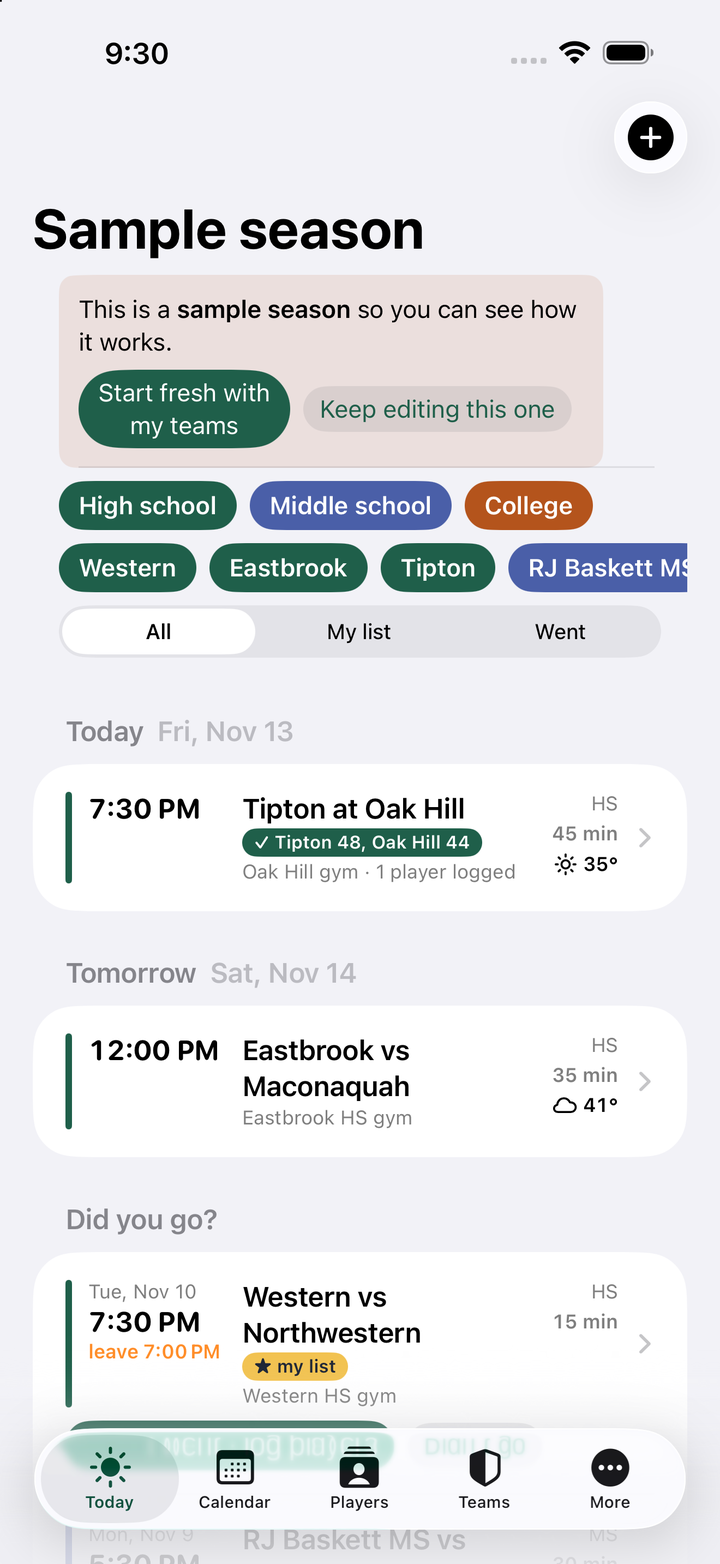
The schedules you follow, the games you're going to, when to leave, who you watched and what stood out, and a running checklist of which teams and players you still need to see. Scouting Coordinator keeps your whole scouting season in one place on your iPhone.
Sound familiar?
Six schedules, four gyms, one car, and a notebook you can't find.
Six school sites, zero overview
Every school posts its schedule somewhere different. Nobody shows you Tuesday across every team you follow.
“Who was number 12 again?”
You wrote it on the program. The program is in the other coat. The kid's name was in the box score you didn't save.
Still haven't seen them play
Three teams in your sectional and two kids on your board you've only heard about. The season is half over.
Built for the person in the bleachers
Team apps are made for the team. This one is made for the coach or recruiter who drives to watch.
Pick the games, then just go
Put any game on your list and it gets a leave-by time from your drive and arrive-early buffer, a “time to leave” reminder on your phone, and the forecast at tip-off. Games with no tip time yet are flagged so you check the source before you drive.
- Star a game to add it to your list
- Drive estimate from your home town, one tap
- Same-time warnings when two listed games overlap
- Link to the school's schedule page on every game
Log who you watched while it's fresh
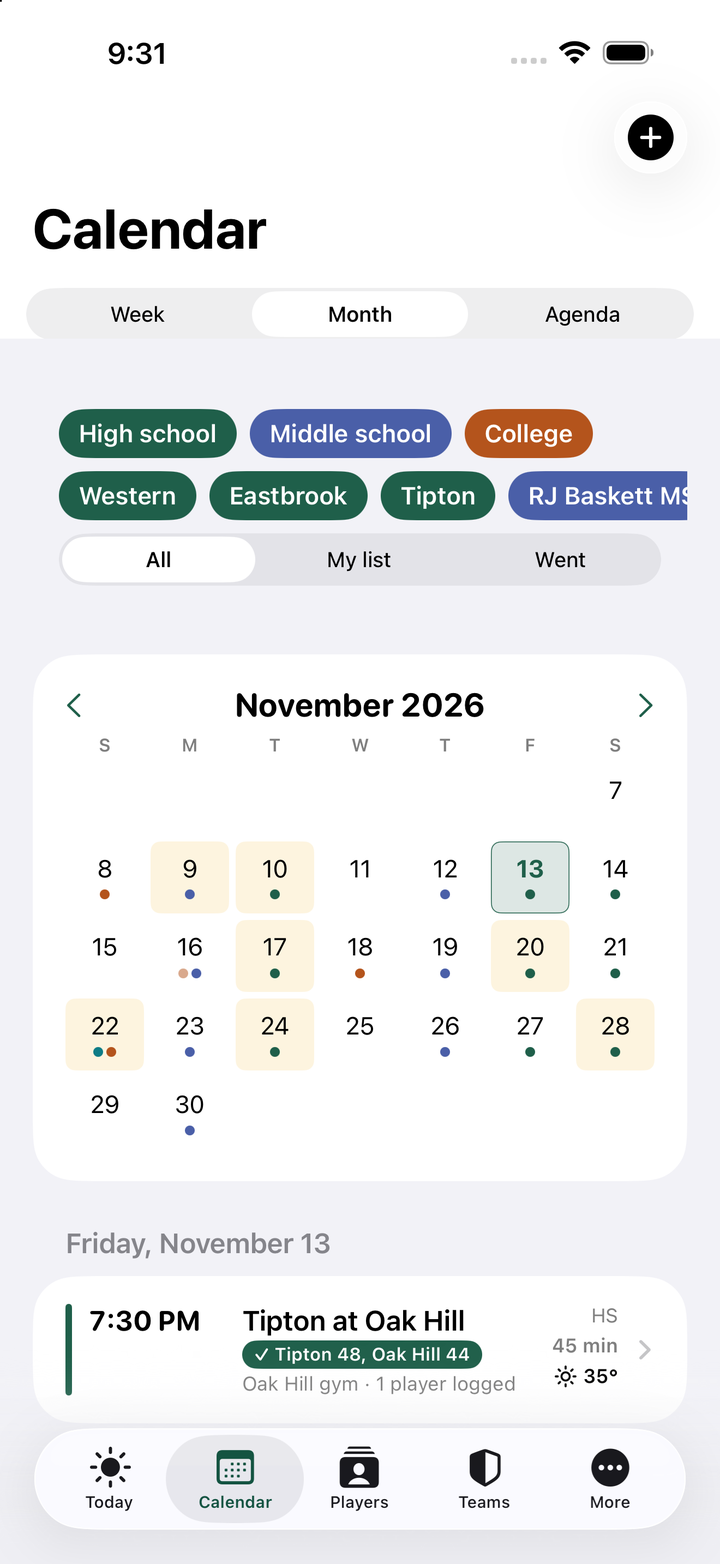
After the game, tap “I went”: final score, game notes, and the players you watched with a line on what stood out. Names you've tracked before are matched, new names become player records on that team.
- Score, notes and players in one screen
- Player cards with number, position, class, height, rating
- Every game you've seen a player, with your notes
Know who you still need to see
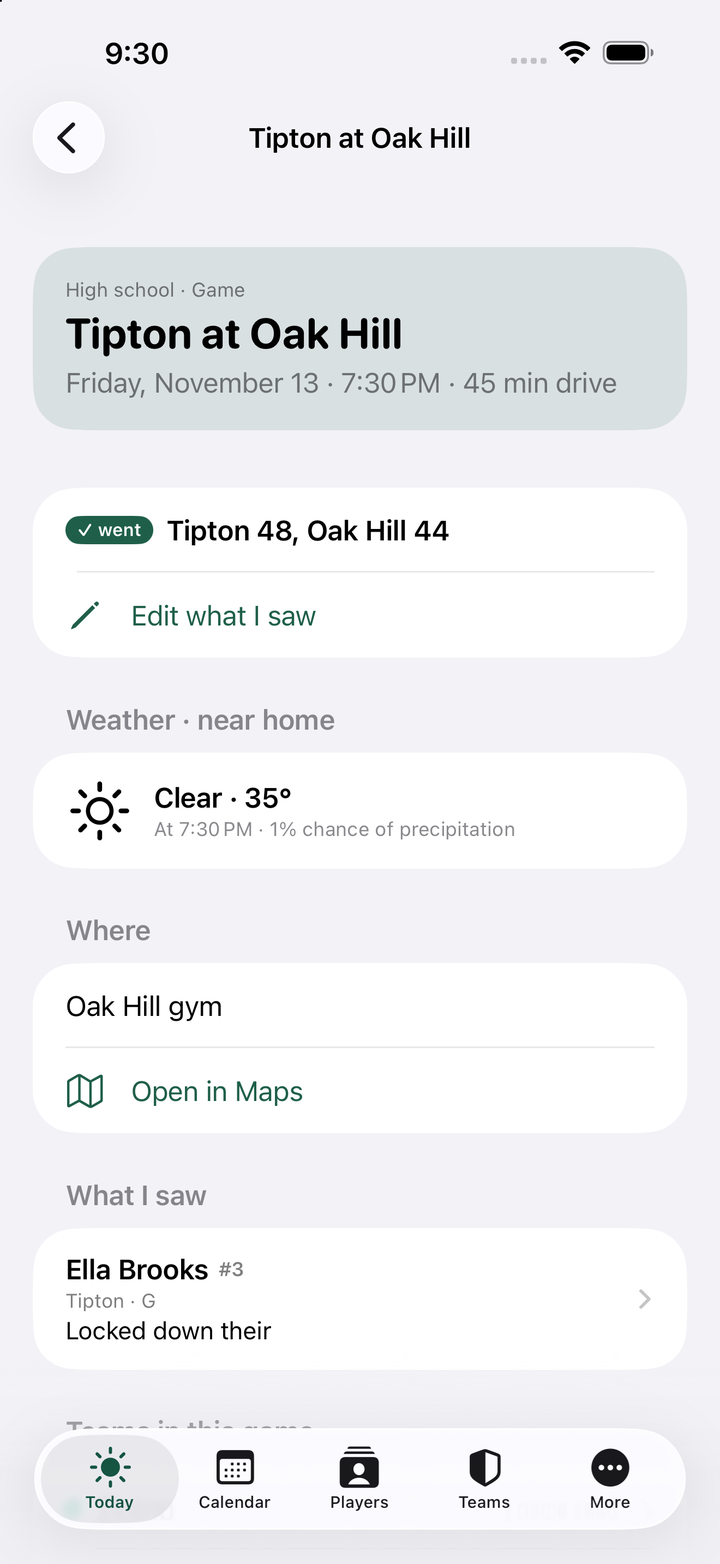
A checklist of every team on your calendar, seen or not, and roster checklists for the teams you coach or a recruiting board. Logging a game checks off both teams and every player you watched; tick a box by hand for anyone you saw somewhere else.
- Team checklist with each team's next game
- Paste a roster, one player per line
- Filter to “haven't seen” and plan the next trip
A color per level
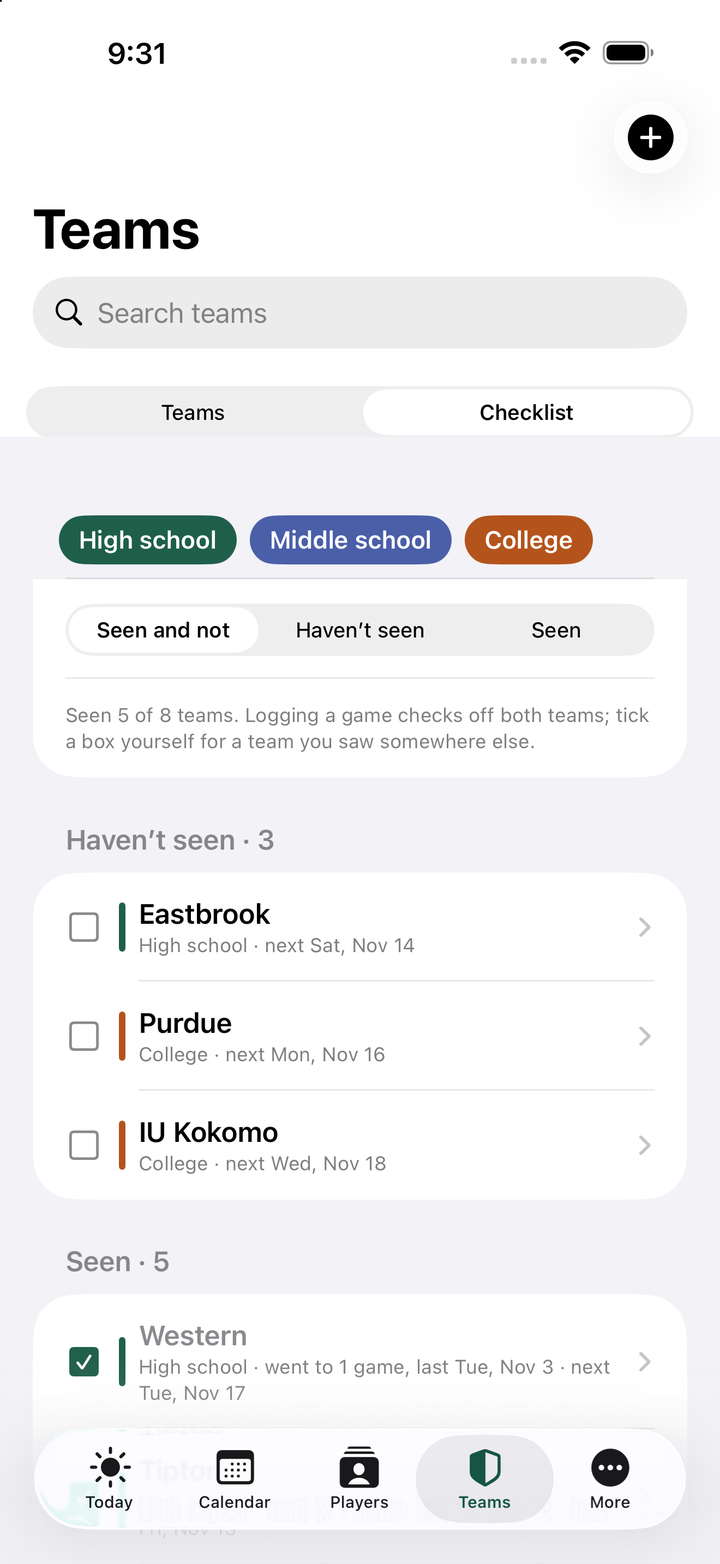
High school, middle school, college, club. Filter by level or by team with one tap, so a crowded week stays readable.
Import school schedules
Pull in the calendar file from Eventlink, MaxPreps, rSchoolToday or TeamSnap. Every game lands on the right team.
Team notes and players
Style of play, coach contacts, what to watch for, and every player you track on that team, in one place.
Share and sync
Send a player's notes or the week as text, or add your list to your phone calendar with the leave-by alarm.
Up and running in five minutes
Add the teams you follow
Name, level, home gym, coach. Opponents show up on their own as you add games.
Add the season
Import a school's calendar file, or type games in. Set your home town for drive times and weather.
Star, go, log
Star the games you'll attend. After each one, log the score and who you watched. The checklists keep themselves.
One price for the whole season
- Unlimited teams, games, players and rosters
- Time-to-leave reminders for your list
- Game logs with players watched
- Team and roster checklists
- Schedule import and calendar sync
- Cancel any time in the App Store
Your notes stay on your phone whether or not you subscribe.
Questions coaches ask
Does it work with my school's schedule site?
Yes, through the calendar file most school and league sites provide (Eventlink, MaxPreps, rSchoolToday, TeamSnap and others). Save the file to your phone, pick it in Scouting Coordinator, choose the team, and the games come in. Duplicates are skipped if you import again later.
Is this for a coach or a recruiter?
Both. A coach follows the teams on her schedule and logs opponents; a recruiter follows the schools where her prospects play and keeps a recruiting board as a roster checklist. The app doesn't care which you are.
Where are my notes stored?
On your phone. There is no account and nothing is uploaded to us. Back up to a file from the More tab whenever you like. See the privacy policy.
What happens after the free two weeks?
The app asks you to subscribe through the App Store at $4.99 a month. If you don't, your notes are still on your phone and come back the moment you subscribe.
Where do the drive times and weather come from?
Drive times are estimated with Apple Maps from the home town you set. Weather comes from Apple Weather for the venue at tip-off, up to ten days out. If a venue has no address yet, the app uses your home town until you add one.
Is there an Android version?
Not yet. Scouting Coordinator is an iPhone app. Tell us if you'd use an Android version.